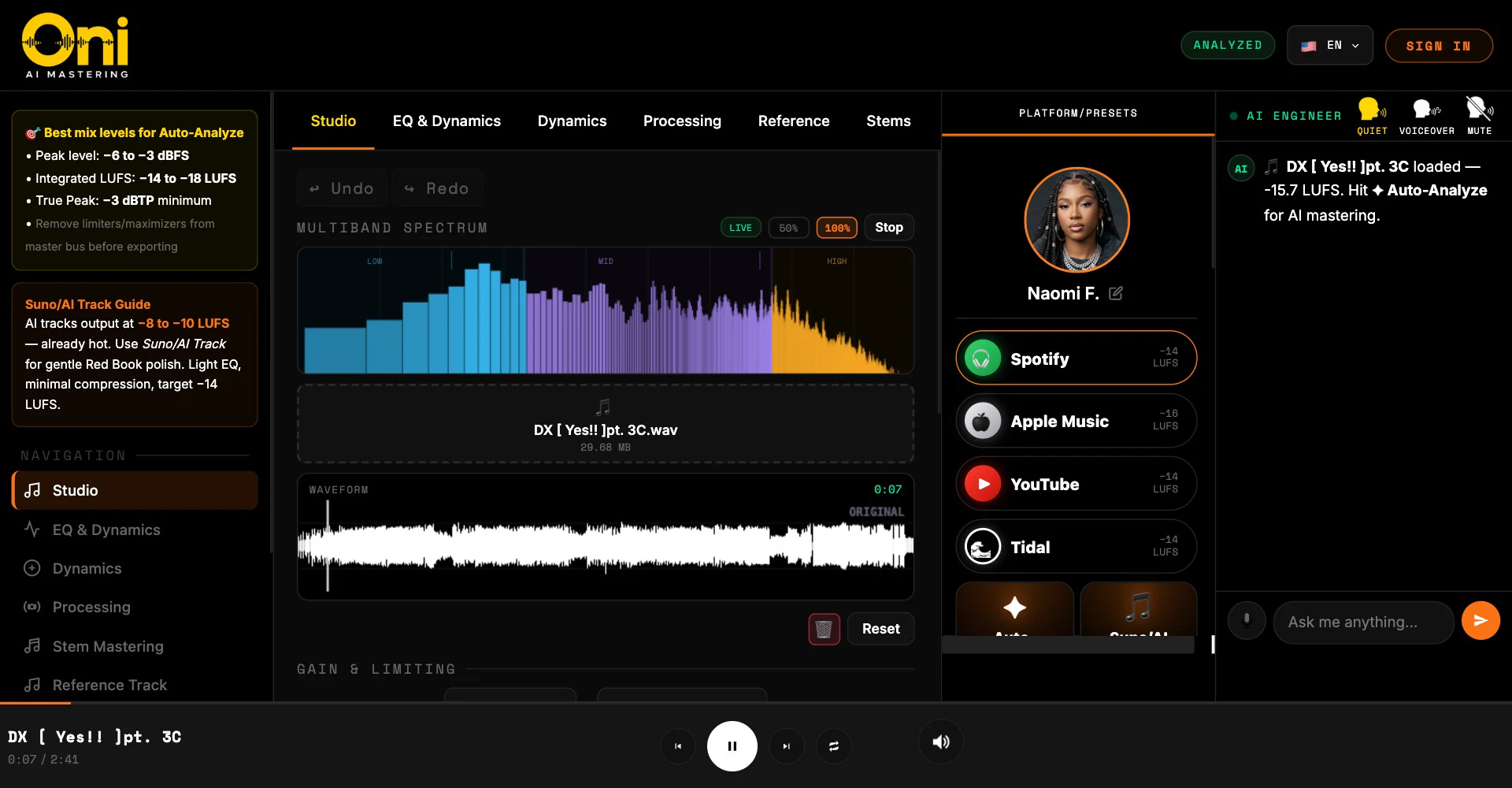
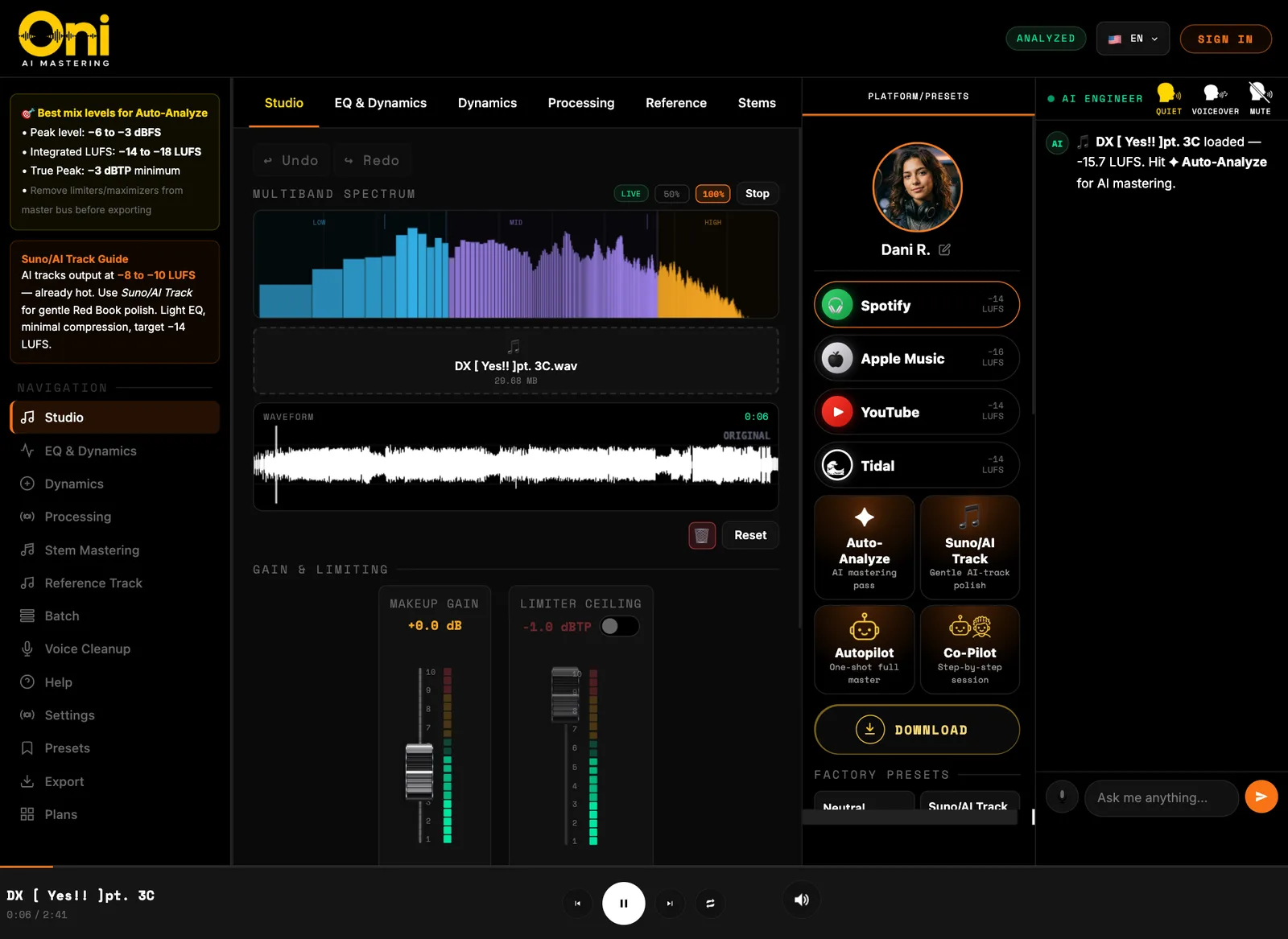
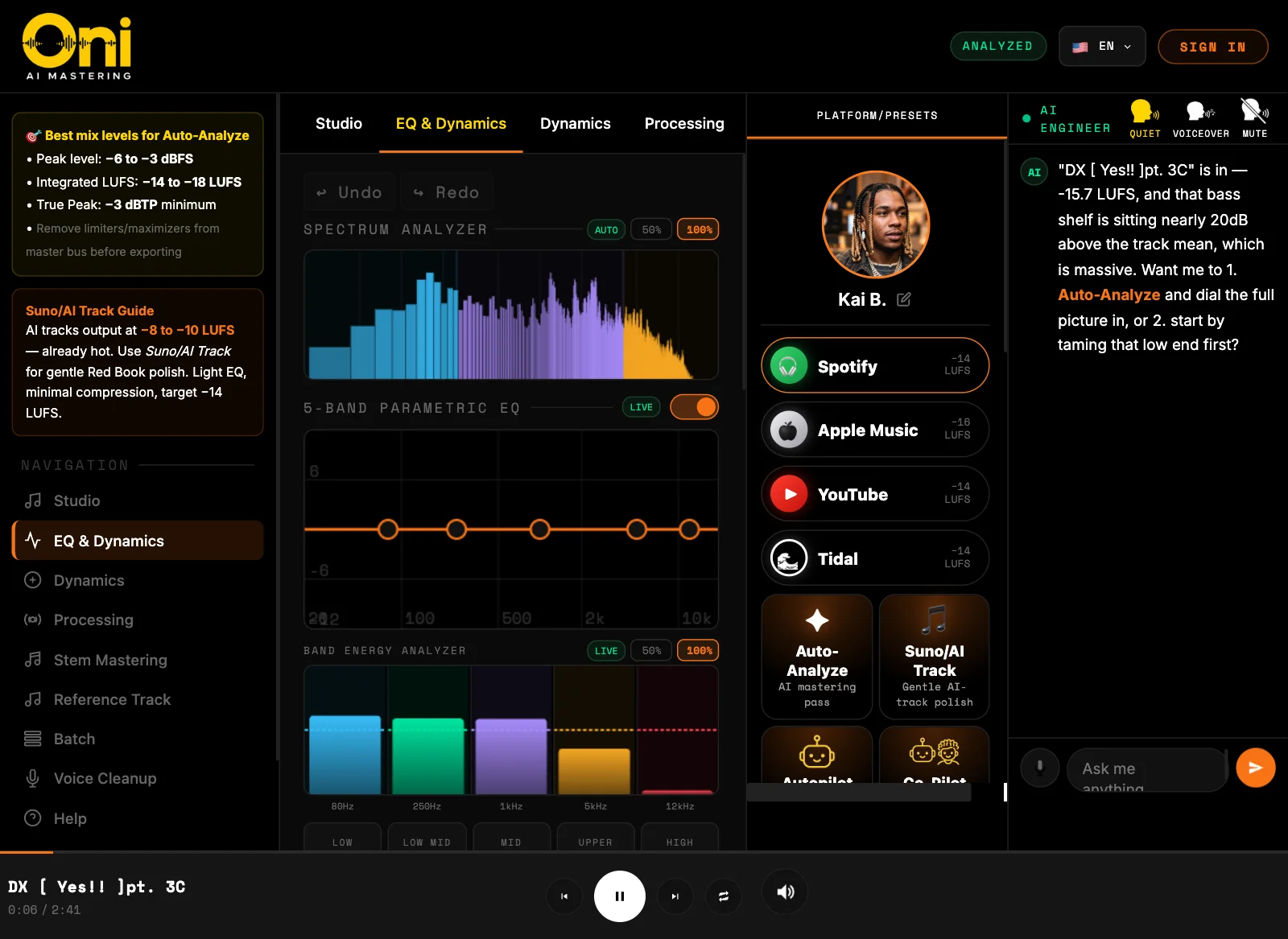
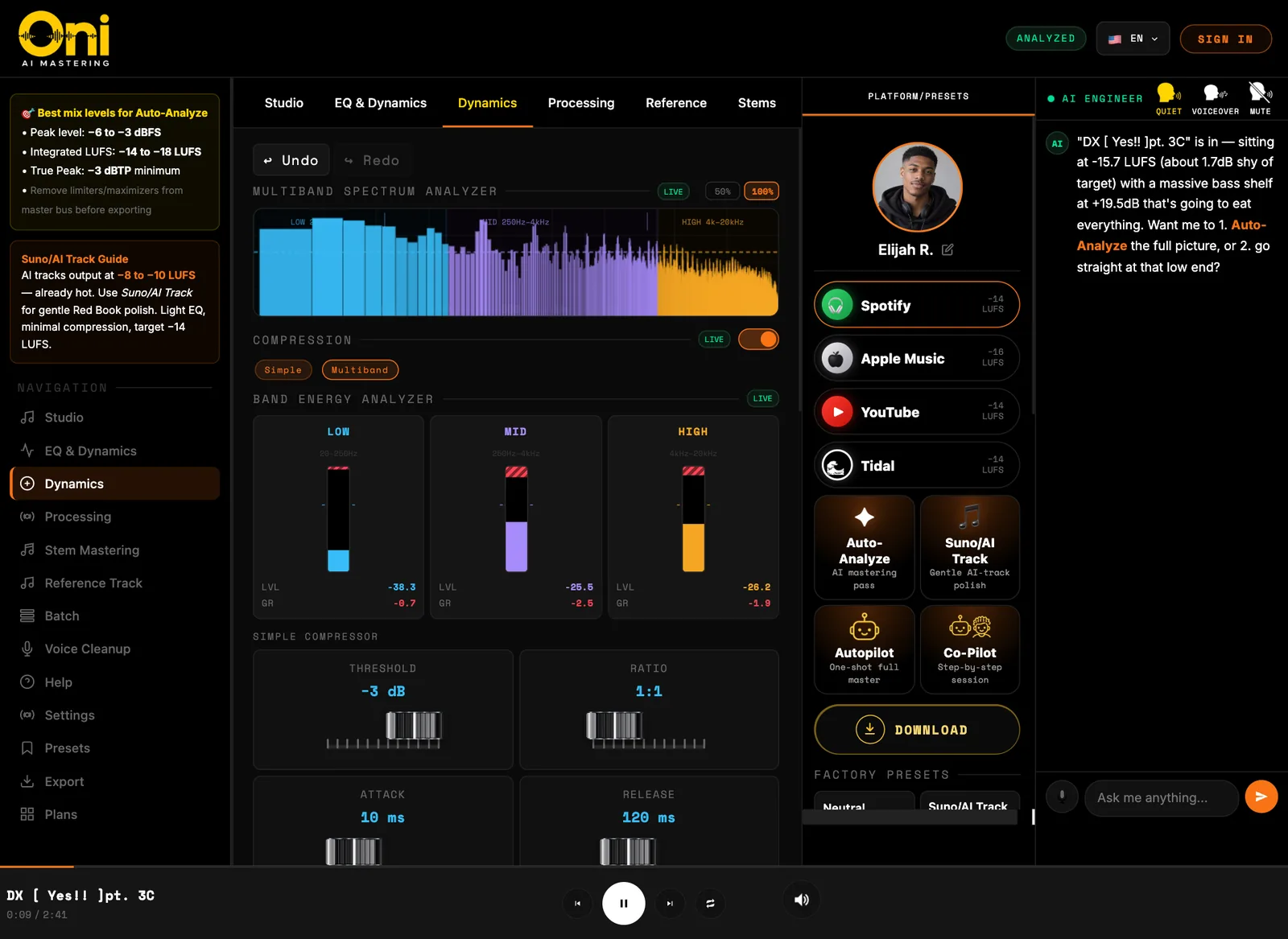
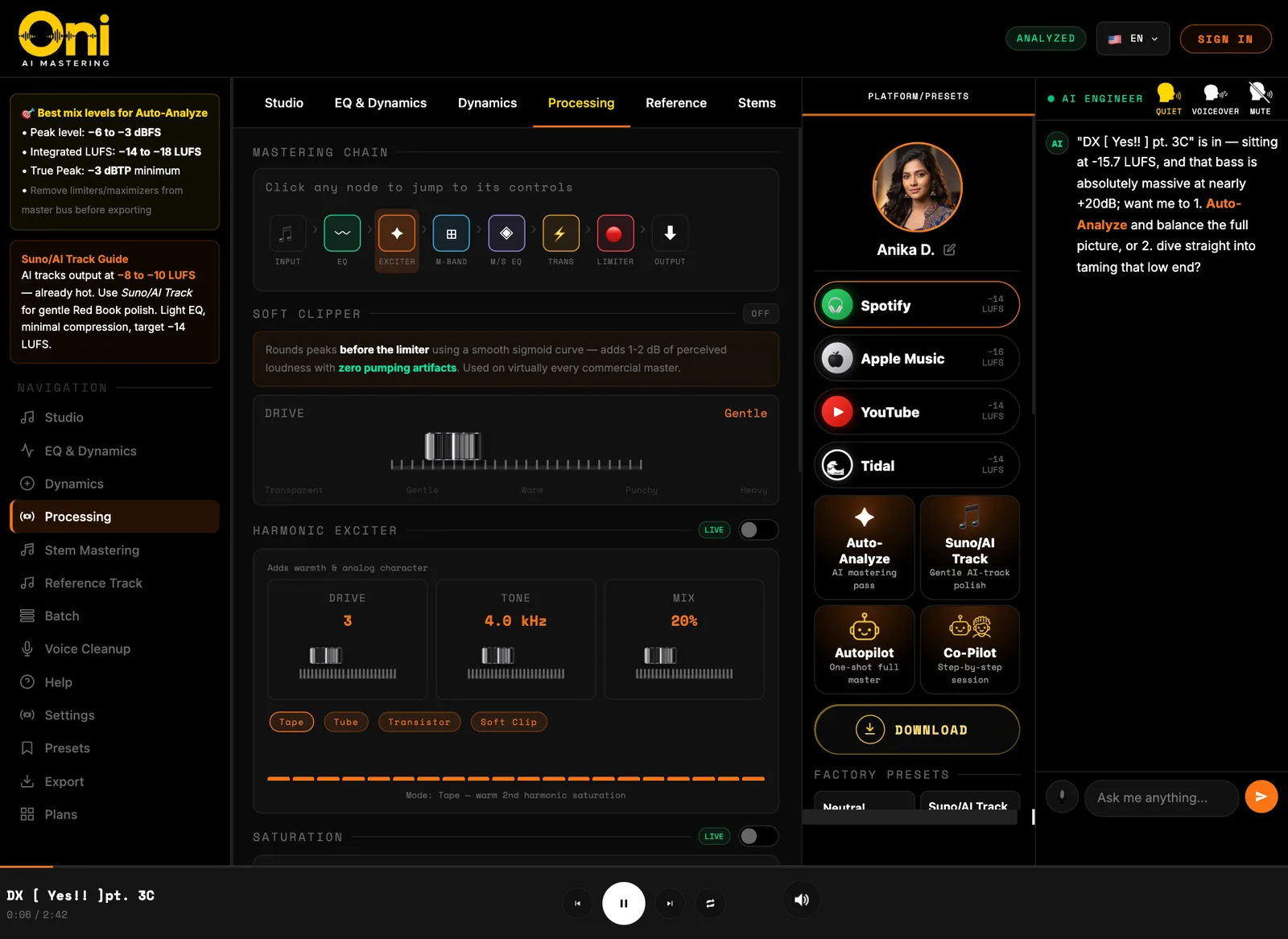
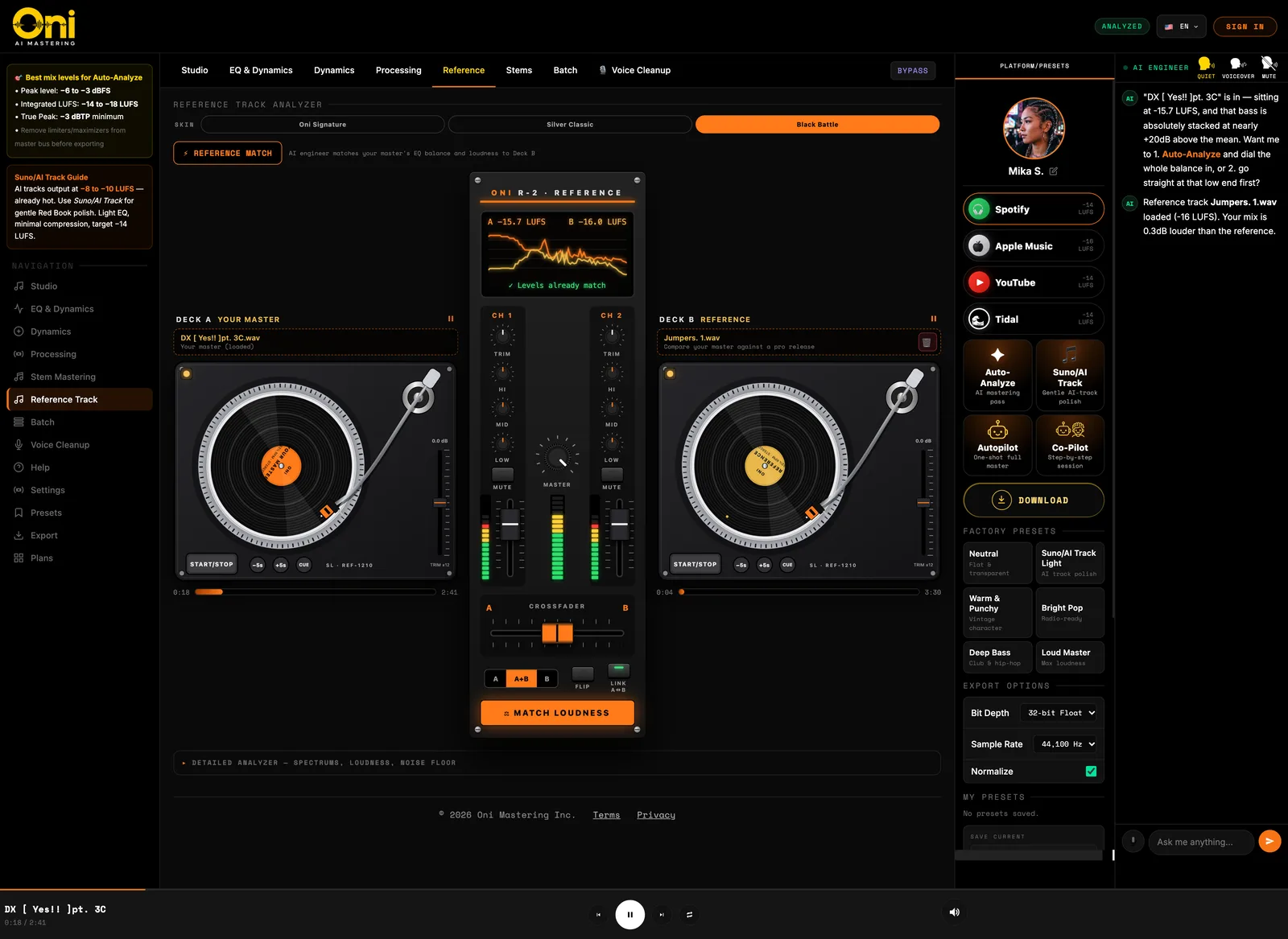
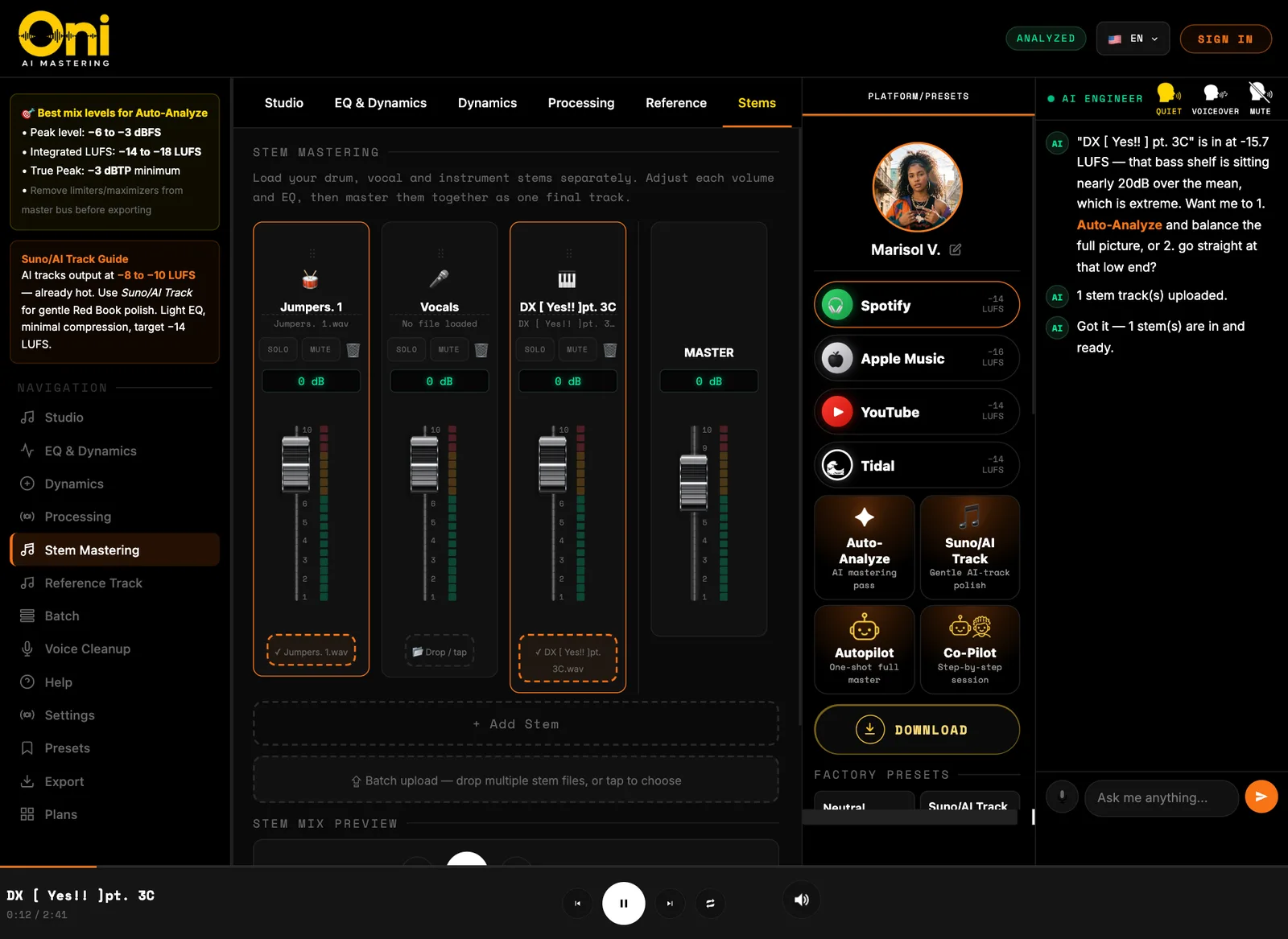
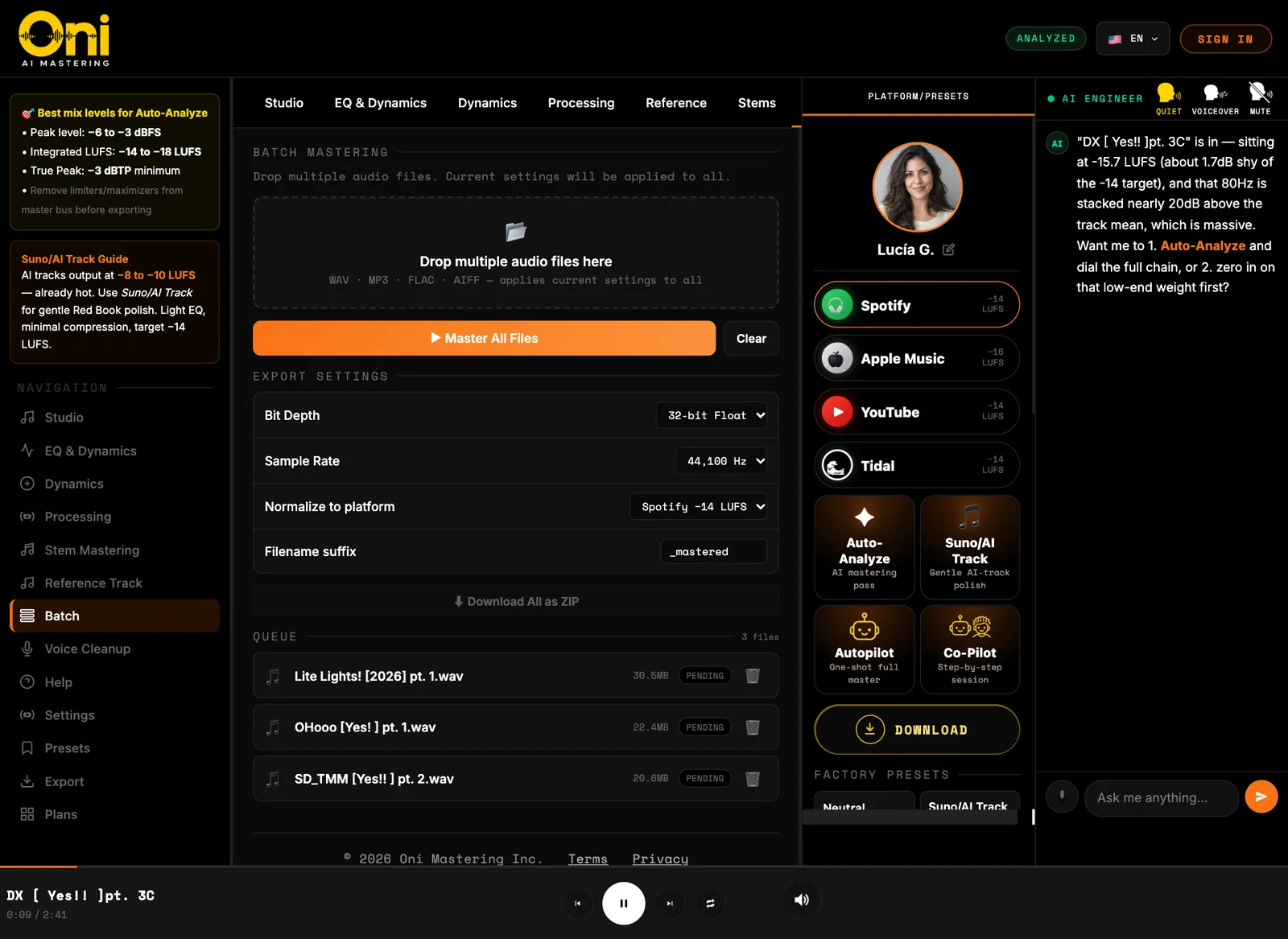
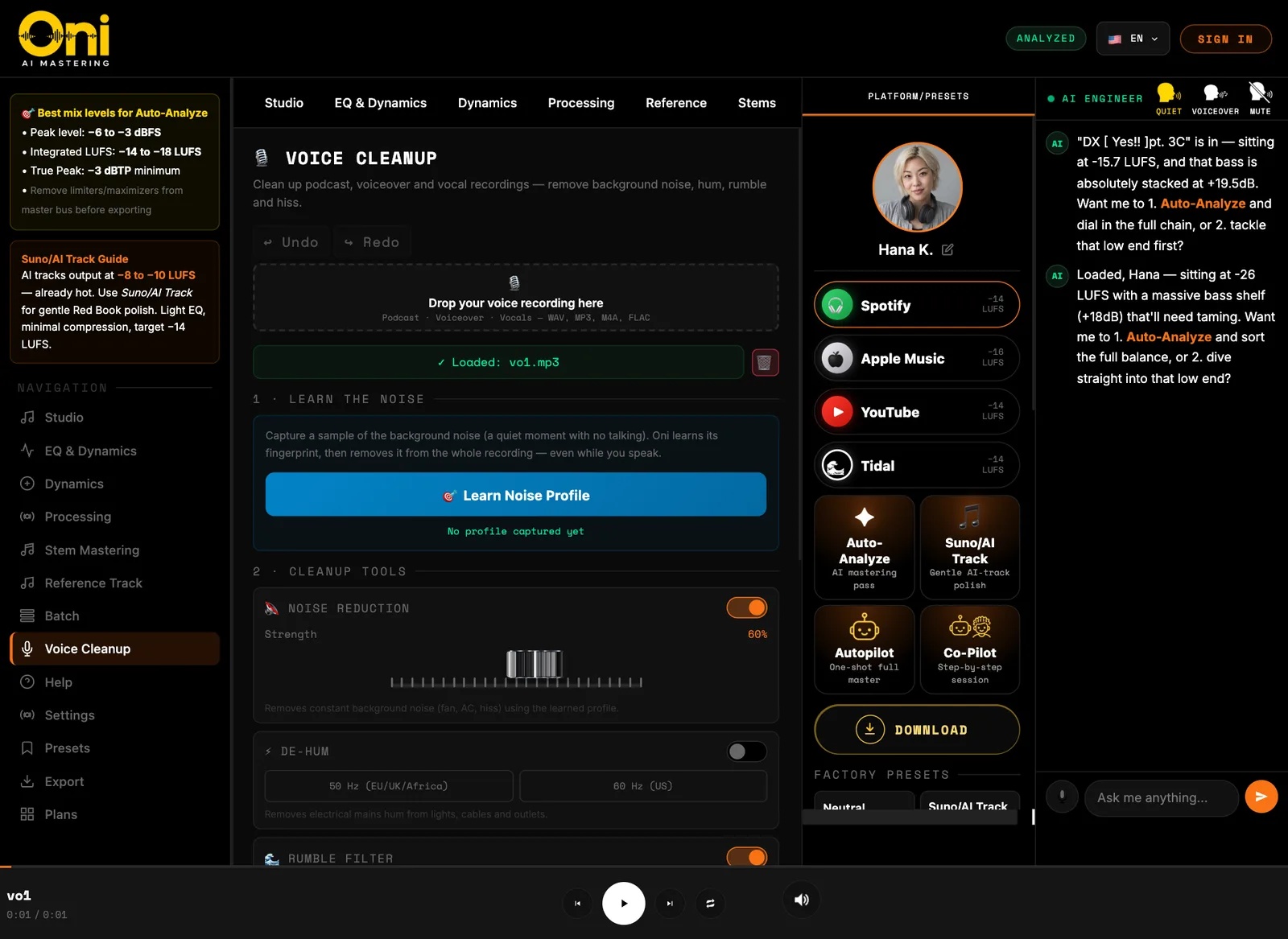
The Oni studio, live.A recording of the real app: the multiband spectrum and waveform follow the track as it plays, and the AI engineer answers in chat.Move your cursor over the studio to see it in action. Click to enlarge.
Every page of the studio.
Eight pages, one engineer. Here is what each one does.
01 / 08
Studio
See your master while you shape it.
The home base. Watch the track on a live spectrum and waveform while you set the final level.
Live multiband spectrum and waveform with a moving playhead
Makeup gain and limiter-ceiling faders with live level meters
Real-time LUFS, true peak and dynamic range readouts
A prompt box to describe the sound you want
02 / 08
EQ & Dynamics
Shape the tone, then tighten it.
A five-band parametric EQ next to a compressor, so you can fix the balance and control the level in one place.
Five-band parametric EQ from 80 Hz to 12 kHz
Band energy analyzer showing where the energy sits
Compressor with four character styles, from Transparent to NY Parallel
Rumble filter, parallel compression and dithering for 16-bit exports
03 / 08
Dynamics
Control each part of the spectrum.
Split the sound into low, mid and high and compress each band on its own, then check the stereo picture.
Three-band multiband compressor with per-band gain-reduction meters
De-esser to tame harsh sibilance
Stereo analyzer: phase scope, correlation and width by band
04 / 08
Processing
The whole mastering chain, one click per stage.
See the signal path from input to output and jump to any stage to adjust it.
Soft clipper, harmonic exciter and tape, tube or console saturation
Mid/side EQ and a transient shaper for punch
AI recommendations based on your own mix
05 / 08
Reference
Compare your master with a release you trust.
Load a professional track on a second deck and hear both side by side.
Two decks and a mixer, with a crossfader between your master and the reference
Loudness match so the comparison is fair
Reference Match: the AI engineer moves your EQ balance and loudness toward the reference
06 / 08
Stems
Master from the stems.
Load drums, vocals and instruments separately, balance them, then send the mix to the chain.
Per-stem faders with solo and mute
Add more stems, or drop in several files at once
Send the stem mix to the master chain, or export it
07 / 08
Batch
Master a whole folder the same way.
Drop in many files and apply your current settings to all of them.
WAV, MP3, FLAC and AIFF files in one queue
Choose bit depth and sample rate, and normalize to a platform target
Download every result as one ZIP
08 / 08
Voice Cleanup
Clean up a voice recording.
For podcasts, voiceovers and vocals: remove the noise around the voice without touching the performance.
Learn a noise profile from a quiet moment, then remove it from the whole recording
De-hum for 50 or 60 Hz mains, a rumble filter and a de-esser
Voice enhance for presence, plus presets for podcast, voiceover, vocals and interviews
14 LANGUAGES
Oni speaks your language.
Switch the studio to your language and everything follows: the menus, the labels, and the AI engineer. Tell it what you want in the words you think in, and it answers in yours.
SpanishEspañol
FrenchFrançais
PortuguesePortuguês
Chinese中文
Japanese日本語
GermanDeutsch
Korean한국어
ItalianItaliano
English
YorubaYorùbá
Nigerian PidginNaijá Pidgin
Arabicالعربية
SwahiliKiswahili
Haitian CreoleKreyòl Ayisyen
LIVE FOOTAGE
The studio, moving.
Spectrums, waveforms and decks, captured in the app while the music plays.